
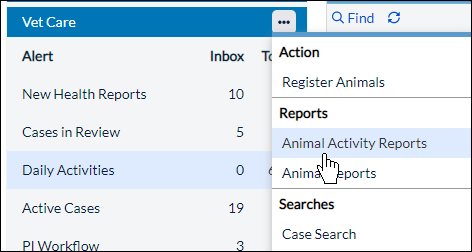
There are different kinds of reports available for Vet Care:
- Animal Activity Reports
- Animal Reports
- Click the arrow next to Veterinary Care and click on the type of report you wish to run.
- Select any filters by which you wish to limit the report. If you need to add additional filters, click Add Filter.
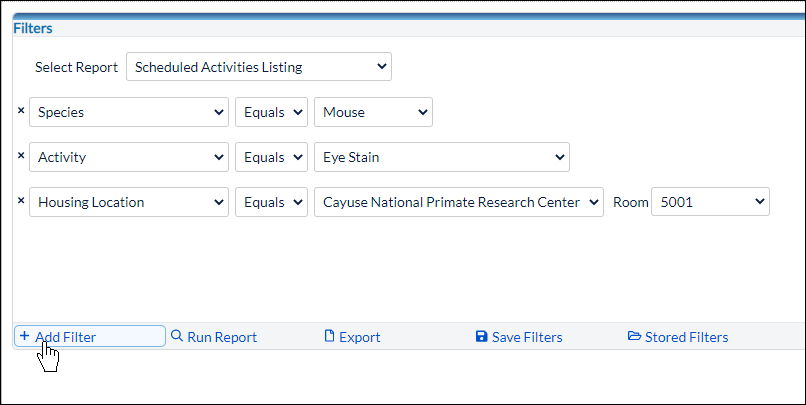
- When you've chosen your filters, click Run Report. The report will populate in a new window.
Additional reports are available in the Reports Alert.
User Defined Reports
Critical data sets are available in the user defined in-application reporting tool.
- Vet Care Setup List - Activities
You can also Export the report to a .CSV, Recall Filters, or Save Filters for later.