
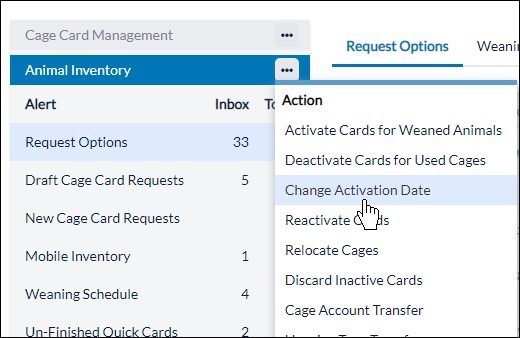
A Census Coordinator can change card activation dates by clicking on the arrow next to Animal Inventory and clicking on Change Activation Date.
The Change Activation Date page has two options, the first to change individual cages.
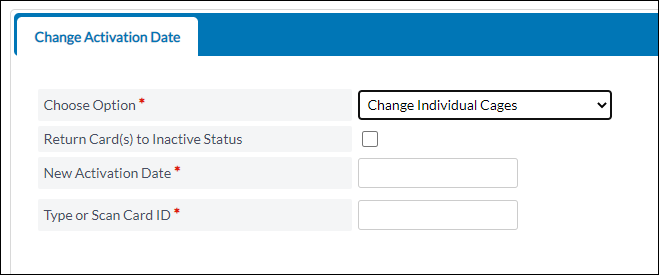
- Check the box Return Cards to Inactive Status and you will not see the New Activation Date field. Type or scan the card ID and the will be returned to Inactive status
- If you don't check the box, select a new activation date and type or scan cards.
- This process lets you change card at a time
Second option is to change by activation date.
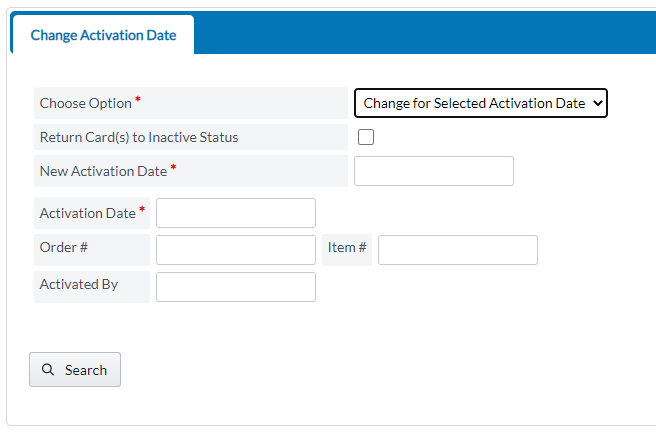
- Check the box Return Cards to Inactive Status and the new activation date filter will disappear.
- Complete necessary filter fields and click search to locate a group of cards.
- Filter - Activation date – will find cards activated on a particular date.
- Filters - Order #, Item #, and Activated by – would limit the results to filters selected.
- The group of cards presented will be returned to inactive status when you select cards and click on Change Activation Date for Selected Cards.