
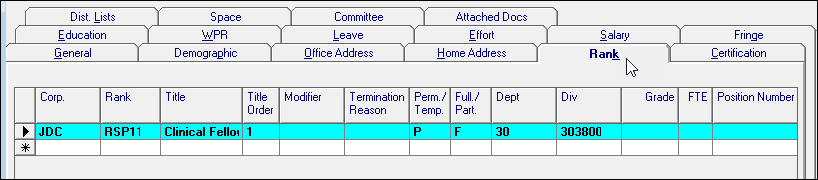
The rank tab allows the user to input important information pertaining to an employee’s rank and title information.
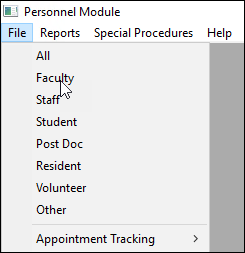
- In the menu, click on File.
- Select the type of employee.
- On the new screen, select the employee by using the arrow key on the menu bar, or by pressing Ctrl+Z and searching.
- Click on Rank.
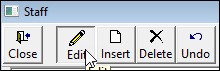
- To change the data on the screen, click Edit.
Rank Field Definitions

- Corp: the corporation or entity the employee belongs to.
- Rank: the rank code for the employee.
- Title: the title that corresponds with the faculty rank or staff title. Auto-filled.
- Title Order: the current ranks listing order.
- Modifier:
- Term Reason: the reason for termination.
- Perm/Temp: defines whether the employee is permanent or temporary.
- Full/Part: defines whether the employee is full time or part time.
- Department: the department where the employee holds the current rank listed.

- Division: the division where the employee holds the current rank listed.
- Grade: the position grade of the employee within the title that the employee is working.
- FTE: the amount of the faculty’s effort assigned to each rank.
- Position Number: the employee’s position number defined by the department or university.
- Appt Length: the length of the faculty appointment.
- Comment: a field for comments in relation to the rank.
- Form Number: the personnel form number used to change the employee to the current rank.