
Human Ethics allows you the ability to add variables and images into some templates, allowing you to further customize your message templates to your institution.
Adding Variables
Variables let you insert dynamic, record-specific information into Message and Letter templates. Variables are automatically populated when the communication is generated.
- Before getting started, open your Message or Letter template.
-
Click on the Insert Variable icon (three lines) in the toolbar.
- Choose the variable to add to your Message or Letter, and click Insert.
- Click Save.
Adding Images
Use the Insert Image icon to add images to Letter templates (there is no image support for Messages). Images can be used for items such as logos, signatures, letterhead, or other visual content that should appear in generated letters.
- Before getting started, open your Letter template.
-
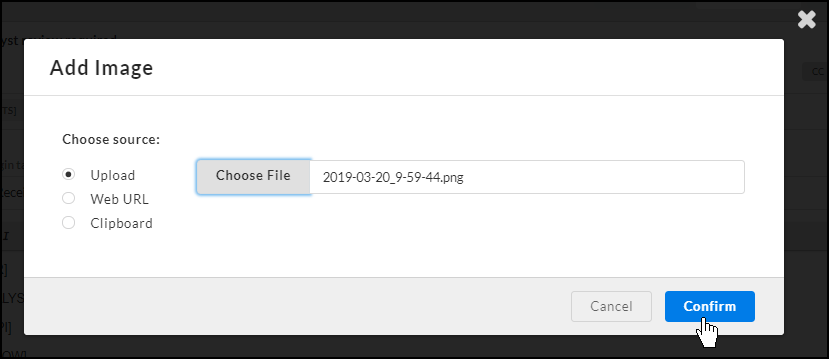
Click on the Image icon in the toolbar.
- Choose the PNG or JPG you wish to add to your Letter, and click Confirm.
- Click Save.
Available Variables
Download the attachment provided at the bottom of this article to view available variables.