
In certain cases, such as an individual leaving your institution, you may need to transfer inbox contents to another person.
Please note: Upon transferring inbox contents, everything within the inbox will be transferred to the other individual.
Transferring an Inbox
- Within the menu, click on Events, and then click on Admin.

- Beneath Assignments in the new window, click into each field to choose the originating person (From), and the destination person (To), or who should be receiving the transfer.
- When you've chosen your two individuals, click Transfer.
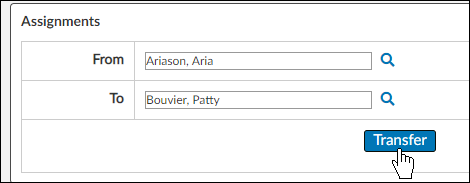
The inbox contents will be transferred to the receiving person.